
Smart Bird Feeders & Feeder Cameras
Camera feeders capture visitors while you’re busy and suggest species IDs in an app. Here’s how they work, what really matters when choosing one, and the trade-offs to know first.
Compare Smart Feeders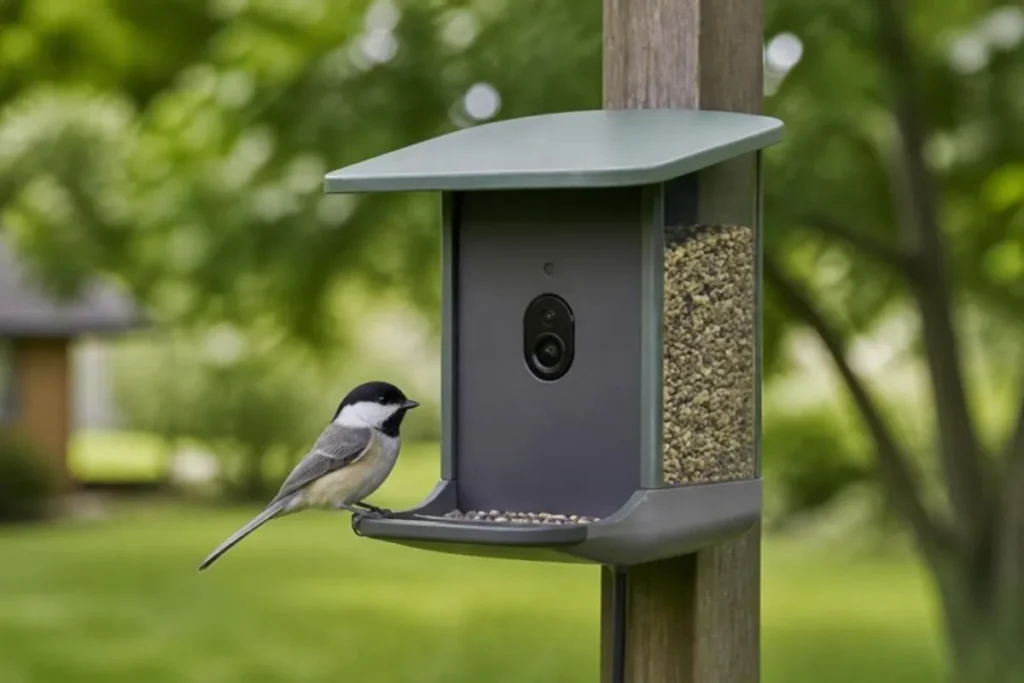
How smart bird feeders work
A smart feeder combines a seed feeder with a weatherproof camera. When motion is detected, the camera records a photo or short video and uploads it over your home Wi-Fi. An app then shows you the clip and, on most models, suggests which species it might be using image-recognition software. Some cameras also record audio.
Automatic IDs are helpful, but they aren’t perfect — especially with females, juveniles, partly hidden birds or poor light. Treat them as suggestions and confirm with a field guide or a resource like the Cornell Lab’s All About Birds.
What to look for
- Camera and focus distance. Resolution matters less than whether the lens focuses sharply at perch distance. Close-focus cameras give frame-filling portraits.
- Power. Battery life varies with traffic and weather. A solar panel reduces how often you take the feeder down to charge — check whether it’s included.
- Wi-Fi. Most units need a reliable 2.4 GHz signal at the mounting spot. Test your signal there with your phone before buying.
- Subscriptions. Many brands put cloud storage or advanced AI features behind a monthly plan. Read the current plan details so you know the long-term cost.
- Seed capacity and cleaning. Smart feeders still need regular cleaning. Look for a removable seed container.
- Weather rating. An IP rating (for example IP65 or IP67) tells you how well the camera resists rain and dust.
- Privacy. Point the camera at the feeder, not neighbors’ windows, and review what the app shares publicly by default.
Installation basics
- Check Wi-Fi strength at the spot you plan to use.
- Mount on a sturdy post, wall or hook at a height you can reach for refills and charging.
- Face the camera away from direct midday sun if possible to avoid washed-out images.
- Follow the same safety rules as any feeder: within about 3 ft of a window or more than 30 ft away, and away from cat ambush spots.
Smart feeders worth considering
Based on published manufacturer specifications. Features and subscription terms change — confirm details before buying.
| Product | Best for | Key features | Considerations | Shop |
|---|---|---|---|---|
| Bird Buddy Pro (Solar)Bird Buddy | Photo-first smart feeding with a close-focus camera |
|
| Check Price (opens Amazon in a new tab) |
| Birdfy Feeder 2 Pro (with Solar)Birdfy | Dual-camera views and long battery life |
|
| Check Price (opens Amazon in a new tab) |
Frequently asked questions
Do smart bird feeders need a subscription?
Basic live view and notifications usually work without one, but cloud storage and some AI identification features may require a paid plan depending on the brand and bundle. Check the manufacturer’s current terms.
How accurate is automatic bird identification?
It is often right for common, clearly visible birds but can struggle with similar species, juveniles, females and poor light. Use it as a starting point, not a final answer.
Will a camera scare birds away?
Birds usually get used to a camera feeder within days, as they would any new feeder. Keep it in a stable spot and avoid frequent repositioning.